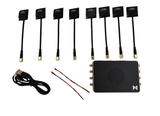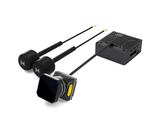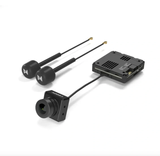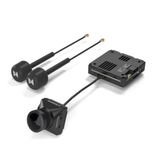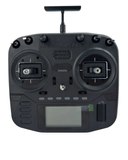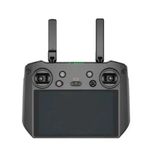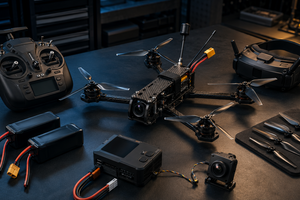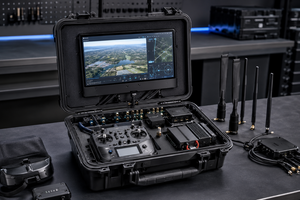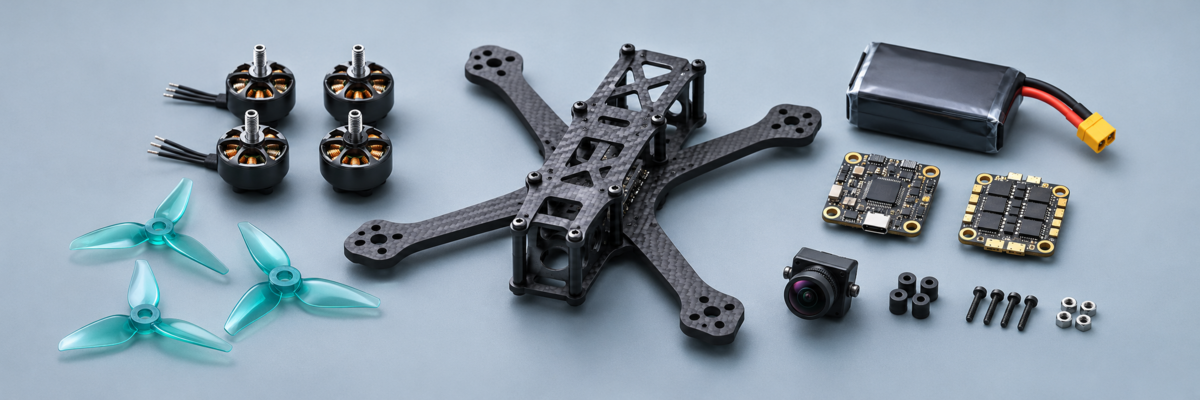
The parts checklist for a training or sport FPV quadcopter starts with the frame, motors, propellers, flight controller, electronic speed controllers, radio receiver, FPV camera, video transmitter, antennas and flight battery. The pilot also needs a radio transmitter, FPV goggles or a monitor, and a battery charger. Some onboard components share a single board, so the number of physical parts may be smaller than the number of items on your list.
To keep track of what you need, mark each item “included in the kit,” “already own,” “needed separately” or “needs confirmation.” Use the checklist below to review a kit, then check the documentation for the exact model to confirm the final parts list.
Which FPV drone parts go on the quadcopter?
FPV stands for “first-person view.” The pilot sees the image from the onboard camera. This gives you two separate links to account for. The control link carries commands from the pilot’s radio to the quadcopter. The video link carries the camera image back to the pilot. If a listing simply says “receiver,” check which link it belongs to.
The SKYHUB FPV drone parts and accessories category can help you find a particular type of component. Open the individual product listing to check the version and see what comes in the box.
| Component | What it does | What to check in the kit listing |
|---|---|---|
| Frame and mounting hardware | The frame supports the motors, electronics and flight battery. | Check whether the listing covers a complete frame or a single replacement part. Look for the mounting hardware, camera mount and battery holder or strap specified for the frame. |
| Motors | The motors turn the propellers. A conventional quadcopter has four motors. | Check the exact model and the quantity per pack. A product photo can show four motors even when the listed price is for one. |
| Propellers | Propellers generate thrust. A full set includes the quantity and rotation directions specified for the model. | Find out whether “set” means one pair, a complete set for the quadcopter, or spares supplied in addition to the installed propellers. |
| Flight controller (FC) | The flight controller processes pilot commands and sensor data to control the quadcopter in flight. | Look for the board name, hardware revision and built-in functions. These tell you which checklist items a single board already covers. |
| Electronic speed controllers (ESCs) | ESCs drive the motors in response to commands from the flight controller. | Check whether the electronics kit includes a separate ESC board or combines the ESCs and flight controller on one board. |
| Radio receiver (RX) | The receiver picks up commands from the pilot’s radio transmitter. | Identify the receiver supplied with the selected product variant. A built-in receiver may have no separate entry on the packing list. |
| FPV camera and video transmitter (VTX) | The camera captures the image, and the video transmitter sends it to the pilot’s viewing equipment. | Read the video system’s contents list. A replacement camera and a video kit that includes a camera can have similar product names. |
| Antennas | Each antenna belongs to the radio control system or the video system. | Identify the module each antenna belongs to and whether that module includes it. If the listing only says “antenna included,” ask which module it serves. |
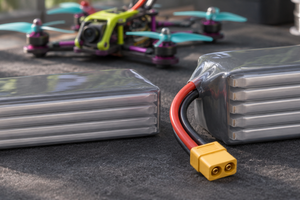
| Flight battery | The flight battery powers the quadcopter itself. | Check whether a flight battery is included and how many you receive. A bundle may also list batteries for the goggles or radio, so identify the device each battery powers. |
| Cables, mounts and small hardware | These parts connect components and hold them in place as specified for the model. | Use the accessory list for the exact hardware revision. Check which component comes with each cable or bag of fasteners. |
What does an “FPV drone kit” actually include?
Start by identifying what the kit is for. A frame kit may contain plates, standoffs, screws and mounts. That can be everything needed for the frame, while the motors, electronics and pilot equipment are separate purchases. Likewise, a video system kit covers one part of an FPV drone. The contents list tells you what the word “kit” covers in each case.
Parts kit
A parts kit can suit a training project when its contents match the parts list for the model you plan to study. Check which items are supplied loose, which assemblies come preassembled and whether the kit includes documentation for your version. Those details tell you how much assembly the project involves.
Assembled quadcopter
The onboard components may already be installed. If you own goggles and a radio, start by checking the video system and radio receiver versions. Check the flight battery and charger separately. An assembled quadcopter can ship with or without either item.
FPV training kit
A training kit may include the quadcopter, pilot equipment and accessories. For your first FPV setup, read the full packing list. If your goal is to learn how the aircraft itself is put together, also check whether this particular kit gives you any assembly work to do.
What stays on the ground: the radio, goggles and charging equipment
Pilot equipment deserves its own section on a first-kit checklist. If you already own a radio and goggles, you need to confirm compatibility. If you are starting from scratch, you also need to know what powers each device and which accessories come in its box.
Radio transmitter and onboard receiver
Copy the full model name of your radio transmitter from its label or manual. Then find the receiver version supplied with the specific quadcopter variant you are considering. Check the manufacturer’s documentation for confirmation that the two work together. A shared brand name or similar appearance is insufficient to establish compatibility.
If you already use a radio with a simulator, enter it on your checklist as equipment you own. Its simulator connection confirms that particular use. Compatibility with the receiver on a physical quadcopter still needs a separate check.
FPV goggles or monitor
Write down two model names side by side: the onboard video system and the goggles or monitor. Labels such as “FPV” and “digital” describe broad equipment types. For a specific pairing, look for an explicit entry in the manufacturer’s list of supported devices.
Also check how the viewing equipment is supplied. If the goggles accept a removable receiver module, account for both the goggles and the module included in the selected package. If the goggles use a separate battery, give it its own row. When the delivery arrives, you will know exactly which device that battery belongs to.
Battery charger and power supply
A charger, a cable and a power supply are three separate items. If a listing mentions a USB cable, check its purpose. It may be for the radio or another device. If a charger is listed, consult its documentation to find out what powers it and whether the package includes that power source.
For the flight battery, record the exact model and the charger recommended by the manufacturer. Check the documentation particularly carefully if you plan to reuse a charger you own. A familiar-looking plug or housing is insufficient to establish that the charger is suitable for that battery.
How to read a listing with several product variants
A single product page can cover several versions of the same model. Save the full product name, SKU and selected option. A link may open the entire product family, while your chosen version appears only in the cart or order details. Compare that order line with your checklist before paying.
- “Compatible with” identifies a product the item can work with. To count that product as part of the kit, find it in the package contents.
- “Available options” means you need the description for the option you selected. Two receiver names shown together may refer to two different versions of the quadcopter.
- “Built-in” tells you where a function is provided. Write the name of the board or module beside that function on your checklist. This explains why there is no separate part in the box.
- “Spare” needs a quantity and a unit. A single spare blade, a pair of propellers and a full replacement set are different entries.
- “Shown for illustration” means a photo helps identify a product or shows how it is used. Use the parts list for the selected offer to determine what you will receive.
A manufacturer may revise a component while keeping the same product family name. For example, the BETAFPV Cetus Pro quadcopter product page specifically mentions a change to the propellers supplied in the package. When looking for replacements, identify the version you actually received. The Cetus Pro name alone does not distinguish between those propellers.
How to compare two kits using the same checklist
Suppose one offer lists a quadcopter with a radio and goggles, while another lists a quadcopter with a flight battery and charger. You can compare the two prices immediately, but there are different gaps to resolve. For the first offer, you still need to establish how you will power the aircraft and charge its battery. For the second, check which compatible pilot equipment you already own.
Give each offer its own column and enter only confirmed package contents. Alongside those columns, list the equipment you own and can use with the specific model. You can then calculate the total: the price of the selected offer plus the cost of any required items still missing. Keep the case, extra batteries and spare propellers on separate lines so you can see how much of the budget goes toward storage and spares.
The unit of sale matters. If one store prices motors individually and another sells a pack, compare the cost of the quantity you need. For propellers, also check what each pack contains. A larger piece count does not necessarily give you more complete replacement sets for your model.
For a closer look at the difference between an aircraft price and a first-setup budget, see the SKYHUB guide to the cost of an FPV drone and pilot equipment in Ukraine. For your own parts checklist, record each quoted price alongside the date and the exact version it covers.
Questions to ask before ordering FPV drone parts
Ask questions specific enough that you can enter the answer directly on your checklist. A seller can give a more precise answer if you name the equipment you own, the SKU you are considering and the part you need to confirm. For older equipment, include a photo of the label showing the model and hardware revision.
- Which receiver comes with this variant, and where does the manufacturer confirm support for my radio model?
- Which video system components are included, and are my goggles on the list of supported models?
- How many flight batteries come in the box, and which items for charging them does the manufacturer include?
- Which mounts and cables come with the frame or modules, and which items does the manual identify as optional extras?
- Where can I find the packing list for the exact SKU that will appear on my order?
If the seller and manufacturer give different answers, they may be describing different packages. A retailer can put together a bundle from several factory boxes. In that case, ask for two lists: the contents of the original package and the items added by the retailer. This is particularly helpful when the manual in the box covers only the base model.
How to check your delivery against the parts list
Save the description of the version you ordered before the parcel arrives. When it does, group the packages by module and open the “Package contents” section of the documentation. If a board combines several functions, write its name beside each relevant checklist entry. Receiving one bag for those entries can be entirely consistent with the packing list.
Keep small bags with the components they came with until you have checked them. Once screws, mounts and cables from several boxes are mixed together, it becomes harder to identify where each one belongs. If the kit contains several batteries, label which ones power the quadcopter and which belong to the pilot equipment.
If something differs from the order, record the product name you ordered, the markings on the item you received and the exact discrepancy. For example, “The packing list specifies two flight batteries, and the box contains one” gives the seller a claim they can check against the paperwork. If you received a different hardware revision, ask the seller or manufacturer to confirm that it is an appropriate substitute.
What to keep with the kit. Save the kit SKU, packing list, installed module names and manual link together. This short record will be useful when you need a replacement part or want to check whether your current goggles will work with another training model.
Purchase components lawfully and use them for their intended purpose. If you cannot confirm power or electronics compatibility, consult a qualified specialist. Before flying, check the restrictions that apply at the intended location and time.
Frequently asked questions about FPV drone parts
Does an FPV drone build kit include a radio and goggles?
It depends on the exact SKU. Look for the radio and goggles as separate entries in the package contents. A model mentioned in the compatibility specifications is a device the kit supports.
What does AIO mean in a flight controller’s name?
AIO stands for “all-in-one.” The manufacturer has combined several functions on one board, such as the flight controller and electronic speed controllers. Check the specifications for that exact board to see whether it also has a radio receiver or other built-in modules.
Do I need a separate action camera if the drone already has an FPV camera?
The model’s FPV video system provides the pilot’s live view. A separate action camera is an option for recording if the standard system lacks the recording feature you need and the manufacturer supports that accessory.
How do I find a replacement part if the original has no model name on it?
Start with the quadcopter’s SKU, its version and the spare parts list in the manual. If you need confirmation, send the seller a photo of the part and the kit label. Parts that look alike can belong to different hardware revisions.