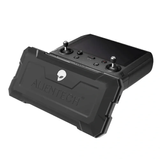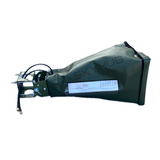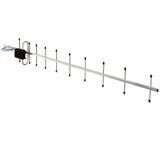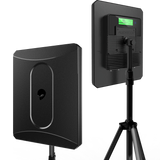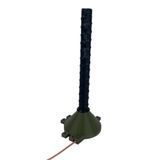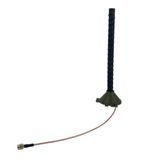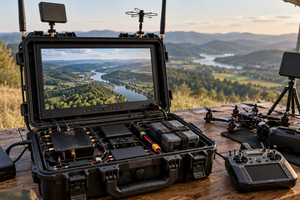
A search for a Mavic antenna may seem straightforward, but the drone name alone is not enough to choose the right equipment. Most external antennas connect to the remote controller through external RF connectors rather than directly to the aircraft. Compatibility must therefore be checked across the entire chain: drone — controller — video transmission system — operating frequencies — connection interfaces.
Support for 2.4, 5.2 or 5.8 GHz is necessary, but it is not the only requirement. You also need to check the controller model, regional equipment version, number of RF paths, modification kit, connector types, cables and complete system configuration.
What Is an External Drone Antenna?
The term “external antenna” covers several different types of equipment. It may refer to a separate passive antenna, an active system with amplifiers or a complete kit with cables, a power supply and mounting hardware. The type of solution determines which parameters must be checked.
Passive Antenna
It has no built-in amplifier and requires no power supply. Selection is based on the complete frequency range, gain in dBi, polarization, radiation pattern, connectors and cable losses.
Active Antenna
It includes amplification modules and a power source. In addition to antenna characteristics, you must check the supported frequencies, two-way transmit and receive operation, output power, power requirements and compatibility with the controller’s RF system.
Complete External Antenna Kit
A kit may include an antenna unit, amplifiers, coaxial cables, a controller modification kit, adapters, mounting hardware and a charger. The contents of each product must be checked separately.
Different types of equipment are available in the external drone antenna category. A category name or a product description mentioning DJI and Autel can help narrow the choice, but final compatibility must be confirmed using the specifications of the particular controller.
How Antenna Compatibility Is Determined for Mavic, Matrice and Autel
An antenna is compatible with a system only when every component in the RF chain is correctly matched. A single match, such as support for 2.4 GHz, does not mean the equipment can be connected to every DJI or Autel controller.
- Exact drone model. Mavic 3, Mavic 3T, Matrice 30T and Autel EVO Max 4T use different controllers and transmission systems, even though some of their frequency ranges overlap.
- Controller model. The same drone family may be used with the RC-N1, DJI RC, RC Pro, RC Pro Enterprise, RC Plus or another controller. Their internal antenna designs and methods for adding external RF ports differ.
- Video transmission frequencies. You need to compare the frequency ranges used by the control channel and video link, not the controller’s Wi-Fi or Bluetooth specifications.
- Number of RF paths. Modern DJI and Autel systems use multiple antennas and spatial diversity technology. An external kit must preserve the connection architecture intended for the controller.
- Connectors and modification kit. SMA, RP-SMA, QMA and N-Type connectors are not interchangeable. The connector standard, center contact and port assignment all matter.
- Cables and active components. Coaxial cable length and type affect signal loss, especially in the 5 GHz range. Active systems must also be checked for operating bands, power supply requirements and permitted output power.
Do not confuse video transmission frequencies with the controller’s Wi-Fi bands. For example, a controller specification may list 5.1 GHz Wi-Fi even though the standard control and video link for a particular drone operates at 2.4 and 5.8 GHz. For antenna selection, refer to the Video Transmission or Image Transmission section of the manufacturer’s specifications.
Compatibility by Drone Model and Frequency
The table lists the video transmission ranges published by the manufacturers for common DJI and Autel product families. The information was checked as of September 2026. Availability of individual frequency bands depends on the country, regional version, controller and software, so the specifications of the exact equipment configuration should always be reviewed before ordering.
| Model or Series | Transmission System and Typical Controller | Published Video Link Frequencies | What This Means for Antenna Selection |
|---|---|---|---|
| DJI Mavic 2 Pro, Zoom and Enterprise | OcuSync 2.0; standard Mavic 2 controller or compatible DJI Smart Controller | 2.400–2.4835 GHz; 5.725–5.850 GHz |
The antenna must cover 2.4 and 5.8 GHz, while the modification kit must be designed for the installed controller. |
| DJI Mavic 3, Mavic 3 Classic, Pro and Cine | DJI O3+; RC-N1, DJI RC or RC Pro depending on the package | 2.400–2.4835 GHz; 5.725–5.850 GHz |
The standard video link requires support for 2.4 and 5.8 GHz. The correct modification kit depends on the controller model. |
| DJI Mavic 3E, 3T and 3M | DJI O3 Enterprise; RC Pro Enterprise | 2.400–2.4835 GHz; 5.725–5.850 GHz |
The standard video link specification does not list 5.2 GHz. The external antenna configuration must be designed for the RC Pro Enterprise. |
| DJI Mavic 4 Pro | DJI O4+; controller depends on the package | 2.400–2.4835 GHz; 5.725–5.850 GHz |
Matching frequencies with previous generations does not confirm hardware compatibility. A kit designed for the specific O4+ controller is required. |
| DJI Matrice 30 and Matrice 30T | DJI O3 Enterprise; RC Plus | 2.400–2.4835 GHz; 5.725–5.850 GHz |
The antenna system must match the RC Plus and its multi-channel antenna architecture. The 5.1 GHz Wi-Fi band listed for the controller should not be confused with its video link. |
| DJI Matrice 300 RTK and Matrice 350 RTK | OcuSync Enterprise or O3 Enterprise; Smart Controller Enterprise or RC Plus | For the controller link: 2.400–2.4835 GHz; 5.725–5.850 GHz |
The Matrice 300 and 350 should not be grouped together solely by series name because they use different transmission generations and controllers. |
| DJI Matrice 4E and Matrice 4T | DJI O4 Enterprise; RC Plus 2 Enterprise | 2.400–2.4835 GHz; 5.150–5.250 GHz in permitted regions; 5.725–5.850 GHz |
Tri-band coverage may match the system frequencies, but compatibility with the RC Plus 2 Enterprise must still be verified separately. |
| Autel EVO II Series V3: Pro, Enterprise, Dual and RTK | Autel SkyLink 2.0; controller depends on the package version | 900 MHz, 2.4, 5.2 and 5.8 GHz depending on the region | A 2.4/5.2/5.8 GHz antenna does not cover 900 MHz. You need to determine which bands are available in the particular regional version. |
| Autel EVO Max 4T and EVO Max 4N | Autel SkyLink 3.0; Autel Smart Controller series | 900 MHz, 2.4, 5.2 and 5.8 GHz depending on the region | The antenna must cover the frequency bands enabled in the region and use a compatible kit for the controller’s RF architecture. |
The 2.4G, 5.2G and 5.8G labels in an antenna name describe frequency groups rather than a specific DJI OcuSync, O3, O4 or Autel SkyLink protocol. An antenna works with radio signals within its specified band, but connecting it to a controller requires an appropriate hardware configuration.
What Do the 2.4, 5.2 and 5.8 GHz Bands Mean?
2.4 GHz
A widely used band for control and video transmission. Under otherwise equal conditions, it has lower free-space path loss than higher frequencies, but it is often more heavily occupied by other wireless devices.
5.2 GHz
A separate part of the 5 GHz spectrum supported by some newer DJI O4 and Autel systems. Availability depends on regional regulations; in some countries, this band may be permitted only under specific conditions.
5.8 GHz
Used by many generations of DJI and Autel equipment. Losses in long or unsuitable cables are more significant at this frequency, making the characteristics of the coaxial line particularly important.
A tri-band antenna is not always better for a particular Mavic model. If the standard video link operates only at 2.4 and 5.8 GHz, support for 5.2 GHz remains an additional capability of the antenna system rather than a requirement for compatibility.
Check the complete operating range rather than relying only on a short marking on the enclosure. Labels such as 5G, 5.2G and 5.8G are not equivalent. Technical documentation should specify the lower and upper frequency limits in MHz or GHz.
Why Matching Frequencies Is Not Enough
The Controller May Not Have External RF Ports
The standard antennas in many controllers are located inside the housing or integrated into its structure. Connecting an external system may require a modification kit with internal pigtails and external connectors. A kit made for the RC-N1 cannot automatically be transferred to the DJI RC, RC Pro Enterprise or RC Plus.
Opening and modifying a controller requires qualified installation and may affect warranty coverage. The consequences should be checked for the particular device before any modification is performed.
Modern Systems Use Multiple Antenna Paths
OcuSync, O3, O4 and SkyLink use multi-channel antenna configurations. Their specifications may include labels such as 2T2R or 2T4R, where T refers to transmit paths and R to receive paths. An external antenna system must preserve the configuration intended by the controller and modification kit manufacturer.
Connectors Must Match Completely
The same outside diameter does not guarantee connector compatibility. The connector standard, configuration, center contact and connection direction must all be checked. A complete system may use N-Type connectors at the antenna unit and QMA or SMA connectors at the modified controller.
Cable Loss Can Reduce the Antenna’s Benefit
Signal attenuation increases with cable length and frequency. A long cable of unknown specification may therefore cancel out a substantial part of the antenna gain. Compare attenuation at 2.4 and 5.8 GHz, cable length, connector types and the number of adapters.
dBi, dBm and Watts Describe Different Parameters
dBi describes antenna gain relative to an isotropic radiator. dBm and watts are used to express transmitter or active amplifier power. Comparing a 15 dBi antenna with a 10 W amplifier as if they represented the same measurement would be incorrect.
How to Choose an Antenna for Mavic, Matrice or Autel
The selection process should begin with an inventory of the existing equipment rather than amplifier power or antenna name. This sequence helps eliminate incompatible options before purchase.
- Record the complete drone name without abbreviations, such as Mavic 3 Pro, Mavic 3T, Matrice 350 RTK or Autel EVO II Enterprise V3.
- Find the controller model and product code on its factory label. Do not identify the controller by appearance alone.
- Check the Video Transmission or Image Transmission frequencies for your regional version in the official specifications.
- Determine whether the controller already has external RF ports and which modification kit has been installed.
- Compare the antenna’s complete frequency ranges, number of paths, connectors, cables, power requirements and kit contents.
- Check whether the equipment is permitted for the intended use, review applicable transmission power limits and determine how the modification may affect the warranty.
Information Needed to Verify Compatibility
- the complete drone name and regional version;
- a photo of the controller model label;
- photos of any external connectors if the controller has been modified;
- the installed modification kit name or port assignment diagram;
- the required format: separate antenna, active system or complete kit;
- information about existing cables, mounting hardware and power sources.
Common Antenna Selection Mistakes
- Choosing only by the word Mavic or Matrice. Different controllers and transmission generations are used even within the same product family.
- Assuming every 2.4/5.8 GHz antenna is universal. The frequencies may match while the connectors, number of RF paths and modification kit do not.
- Confusing 5.2 and 5.8 GHz. These are different parts of the spectrum. A narrow-band 5.8 GHz antenna may not cover the complete 5.15–5.25 GHz range.
- Ignoring the 900 MHz band in Autel equipment. Some regional EVO II V3 and EVO Max versions support this band, which is not covered by standard 2.4/5.2/5.8 GHz tri-band antennas.
- Buying only the antenna unit. A modification kit, two or more cables, adapters, mounting hardware and a power supply may be required separately.
- Expecting guaranteed range. The result depends on the RF environment, physical obstructions, terrain, antenna direction, cable losses, regional limits and the capabilities of the drone itself.
External Antenna Solutions Available from SKYHUB
The active antenna and amplifier category includes dual-band and tri-band systems for compatible DJI and Autel controllers. For example, the AvengeAngel Big Hulk Plus is specified as an active solution for the 2.4, 5.2 and 5.8 GHz bands, while the ALIENTECH DUO III also uses a tri-band configuration.
These specifications describe frequency coverage but do not remove the need to check the controller, modification kit, cables and connectors. If a product name lists Mavic, Matrice and Autel, this means the equipment may be used with matching configurations rather than connected directly to every model without additional components.
Antennas for electronic warfare systems belong to a separate equipment category. They may use different frequency bands, power levels, connection methods and operating purposes, so they are not substitutes for DJI or Autel control-link antennas.
Check the Controller and Kit Contents Before Ordering
For accurate selection, provide a SKYHUB specialist with the complete drone model, a photo of the controller label and information about any installed external connectors. This makes it possible to verify not only the frequencies but also the modification kit, cables, power supply and compatibility of the complete system.
Active antennas and amplifiers must be purchased and used lawfully, for their intended purpose and in accordance with current restrictions on frequency use and radiated power. Any installation that requires opening or modifying the controller should be performed by a qualified specialist.
FAQ: Common Questions About External Antennas for DJI and Autel
Can an external antenna be selected using only the drone model?
No. You need at least the exact controller model, video transmission system, operating frequencies of its regional version, type and number of external RF ports, and the complete kit configuration.
Which frequencies do the DJI Mavic 3 and Mavic 3T use?
The factory specifications for the Mavic 3 and Mavic 3T video links list the 2.400–2.4835 and 5.725–5.850 GHz ranges. Antenna support for these frequencies is necessary, but compatibility also depends on the particular controller and modification kit.
Does a DJI Mavic 3 antenna need to support 5.2 GHz?
The standard Mavic 3 and Mavic 3 Enterprise Series video link specifications list 2.4 and 5.8 GHz rather than 5.2 GHz. A tri-band antenna may provide wider frequency coverage, but a 2.4/5.2/5.8 GHz label alone does not confirm compatibility without checking the controller and connection method.
Can the same antenna work with both DJI and Autel?
Yes, some systems can support both brands if the complete frequency ranges, RF architecture, connectors, modification kit and regional version all match. For Autel equipment, you must also check whether the particular version uses the 900 MHz band, which is not covered by a standard 2.4/5.2/5.8 GHz system.
What is the difference between an external antenna and an antenna amplifier?
An antenna transmits and receives radio signals and is characterized by its frequency range, gain in dBi and radiation pattern. An active amplifier requires power and changes the signal level; both components may be combined in a complete external antenna system.