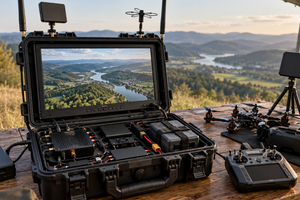
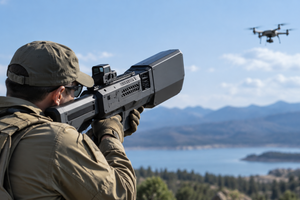
BlueBird’s Chuyka and BattleBorn’s FOX both detect analog video signals. Tsukorok alerts you to a radio signal and displays the likely drone type when it recognizes the signal’s characteristics. For Arrakis detectors, the frequency bands depend on the model. The manufacturer also lists a spectrogram mode for Arrakis 4.
Start with what you want to know when the detector sounds an alert. Do you only need to know that it has picked up a signal, or do you want to see the likely source, a graph of activity across a frequency band, or a live video feed? Two detectors can have screens and cover the same frequency while giving you very different information.
What Chuyka, Tsukorok, FOX and Arrakis detect
| Detector | What it reports or displays | What to check when comparing models |
|---|---|---|
| BlueBird Chuyka | Chuyka 3.0 scans for analog video signals from first-person view (FPV) drones and sounds an alert when it detects one. BlueBird lists three bands for this version: 1.3, 3.3 and 5.8 GHz. | Check the version number on the device. BlueBird publishes separate manuals for versions 2.0, 3.0 and 4.0. The bands listed here apply to the Chuyka 3.0 covered in this manual. |
| Tsukorok | The detector alerts you when it picks up a radio signal. Its screen shows the signal strength and, if the device recognizes the signal pattern, a label indicating the likely drone type. | Check the full model name. The manufacturer lists an additional 2.4 GHz band for Vanilla Tsukorok. See SkyOwl’s model descriptions (in Ukrainian). |
| BattleBorn FOX | The video-capable model scans the 1.2, 3.3 and 5.8 GHz bands for a video channel and displays the image it receives. | Check the product code and what comes in the box. Compare the standalone FOX detector specifications with the accessory list for the kit that includes a remote antenna. |
| Arrakis / Arrakis 4 | Duna lists two frequency bands for Arrakis and four for Arrakis 4. The Arrakis 4 description also lists audible and vibration alerts and a spectrogram mode. | Look for the number 4 in the model name. Duna provides separate descriptions of Arrakis and Arrakis 4 (in Ukrainian). |
What a detector alert tells you
A radio detector responds to signals it can receive and process. A beep or vibration draws your attention. What you can learn from that alert depends on which signal characteristics the device checks. In a product description, “detects a signal,” “identifies the likely drone type” and “displays video” describe three distinct capabilities.
- Drone type label. Tsukorok assigns a label based on the characteristics of the signal it receives. Its manual also explains how the device indicates an unrecognized source. A label alone cannot confirm the exact aircraft model.
- Spectrogram. This graph shows which frequencies are active and how that activity changes over time. A band on the graph does not reveal a camera image or the source’s coordinates.
- Received video. When the detector supports the transmission format and receives a clear enough signal, it can display the video feed. BlueBird lists ground robots among the possible signal sources for Chuyka 4.0, for example. Receiving analog video alone does not establish which platform transmitted it. See BlueBird’s guide to what Chuyka 4.0 detects.
How to compare frequency bands and claimed detection range
Take the 5.8 GHz band. It appears in the specifications for both FOX and Arrakis 4. The FOX listing explicitly says the device can display received video. Duna lists signal detection and a spectrogram for Arrakis 4. If you need to view a feed, look for an explicit statement that the device can receive and display video. A frequency listed in the specifications tells you only part of the story.
The same distinction matters when comparing range. One manufacturer may quote the distance at which a detector first sounds an alert. Another may give the distance at which a recognizable video image appears. These tests measure different outcomes. Transmitter power, obstructions between the transmitter and receiver, and background radio noise also affect the result. Without the test conditions and a definition of what counted as detection, two maximum distances in kilometers are a poor basis for ranking devices.
A silent detector cannot confirm that no drone is present. It means only that, under those conditions, the device did not register a signal that met its detection criteria.
How to find the right manual for your Arrakis
Check the full model name on the device label or in the documentation supplied with it. If it says Arrakis without the number 4, look for the base model manual. The base model covers a different set of frequency bands. If a manual describes four bands but the label on your detector says Arrakis, send Duna support a photo of the label and ask which manual applies.
The same approach works for Chuyka. If you own version 2.0, start with BlueBird’s Chuyka 2.0 user manual. When you need to identify a screen icon, understand an alert or check a video output, a manual for another generation can give you the wrong answer even if the devices look alike.
In the SKYHUB drone detector catalog, use the product code to check the signal type, alert method and included accessories. If you consult a specialist, explain whether you need an alert, a spectrogram or a video feed. Before purchasing, check which restrictions apply to your intended use and use the equipment as specified by the manufacturer.
Drone detector FAQ
What is the difference between Tsukorok and Chuyka?
Tsukorok shows information about a received radio signal and the likely drone type if it recognizes the signal pattern. BlueBird’s Chuyka specializes in detecting analog video signals. For both detectors, the supported frequency bands depend on the version.
Does Tsukorok show the distance to a drone in meters?
Tsukorok displays received signal strength. Transmitter power and reception conditions both affect that reading, so there is no reliable conversion from the displayed value to a distance in meters.
Does every FOX detector come with a remote antenna?
SKYHUB lists the standalone FOX detector separately from kits that include a remote antenna. Check the product code for your chosen kit to confirm the included accessories and mount type.
Where can I find the user manual for my Arrakis drone detector?
Duna’s website lists its detector models and technical support contacts. If the manual is not publicly available, send support the model name or a photo of the label so they can provide the correct document for your Arrakis or Arrakis 4.