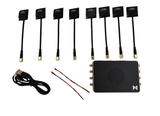
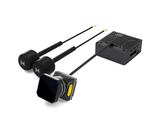
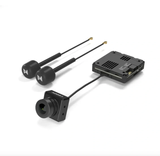
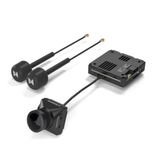
Analog FPV is worth considering if you want predictable latency or already own analog goggles. Digital FPV generally gives you a sharper live image, and some systems can also record high-resolution footage on board. Either type can deliver a fast response. What you see depends on the camera, the video link, the selected mode and the display in your goggles.
When comparing FPV drone cameras, start with two questions. What will you see through the goggles during a flight? What footage will you have afterward? Even with the same camera, the live feed and the recorded file can look quite different.
How analog and digital FPV systems work
FPV stands for first-person view. In an analog system, the camera produces a video signal, the transmitter sends it over a radio link, and a receiver in the goggles or in a separate module recovers the image. “Analog” describes how the video travels over the link. The camera itself can still use a digital image sensor and processor.
A digital FPV system sends the image as a stream of data. The digital FPV camera works with an onboard video transmitter, and a compatible receiver decodes the stream for the display. An “HD” label tells you about image resolution. To find out whether your goggles can display the feed, check which video systems they support.
| Feature | Analog FPV | Digital FPV |
|---|---|---|
| Fine detail | Fine lines and textures are less distinct. A higher-resolution display cannot recover detail lost in the video feed. | An HD feed usually preserves more texture. Compression and reception quality also affect how much detail remains visible as the camera moves. |
| Latency | Delay is usually consistent. Reading the sensor, processing the image and displaying it in the goggles all take time. | Delay depends on the system design and video mode. Some digital systems have fixed latency, while others have variable latency. |
| Poor reception | Interference can appear as static or lines across the picture, making details harder to see. | Depending on the system, the image may lose detail, show patches of corrupted video or freeze on a frame. |
| Video recording | The recorder in the goggles saves the received video, including visible interference. A separate onboard camera can record its own file. | If the onboard module supports recording, it can save a file at a different resolution and frame rate from the live feed. |
How to compare FPV video latency in milliseconds
Imagine pointing the camera at a stopwatch. The digits on the stopwatch change a moment before you see them change in the goggles. That interval is end-to-end latency, often called glass-to-glass latency. It covers the entire path from the camera sensor to the display. When a manufacturer quotes transmission latency, check where the measurement starts and ends before comparing it with a glass-to-glass result.
The standard DJI O4 Air Unit illustrates why the goggles matter. With a 1080p feed at 100 frames per second in Racing mode, DJI lists a minimum latency of 20 ms with DJI Goggles 3 and 24 ms with DJI Goggles N3. The onboard unit and video mode are the same in both cases. The word “minimum” matters here. It describes the lowest delay achievable under the stated conditions. DJI lists both figures in its official O4 Air Unit specifications.
Frame rate tells you how often a new frame appears. At 100 frames per second (fps), consecutive frames are 10 ms apart. At 50 fps, they are 20 ms apart. A shorter interval can make motion look smoother. To find out how long it takes a change in the scene to reach the display, you still need a latency measurement.
Live image quality vs. onboard recording quality
A 4K label on an FPV camera often refers to the file saved on board. For example, the DJI O4 Air Unit supports onboard recording at up to 4K at 60 fps, while DJI lists live transmission at up to 1080p at 100 fps. Each figure is a separate maximum. The selected mode determines which combination of recording and transmission settings is available. DJI distinguishes the two in its O4 video system overview.
When watching a review, check where the sample footage came from. Footage from the goggles’ digital video recorder (DVR) shows what reached the receiver. The original onboard file shows what you will have to edit. Onboard footage can stay sharp even if the live image briefly breaks up. The DVR may also compress its recording, so its footage is only an approximation of what the pilot saw through the goggles.
Three short clips make a useful comparison. First, look at a stationary shot of a finely textured surface to judge detail. Then watch the same scene as the camera moves to check motion smoothness and compression artifacts. Finally, watch a transition from sunlight to shade to see whether detail survives in both bright and dark areas. An HD label alone cannot tell you how a camera handles all three.
What to check before choosing a camera and goggles
If you already own FPV goggles, look up the exact model and its list of supported video systems. The digital FPV camera must work with the onboard video transmitter, and the receiver must be able to decode that transmitter’s signal. Two devices can operate on the same frequency and still use incompatible video formats.
- For practice with an existing analog setup, check the new camera’s video output format and whether your receiver and display support it. If you are happy with the live image, replacing just the camera may meet your needs at a lower cost.
- For amateur racing, compare latency measurements for the complete setups in the mode you expect to use. A single best-case figure tells you little about how the system will feel in motion unless you know which goggles were used and how the delay was measured.
- For filming, compare original onboard files and check which recording modes are available during live transmission. If a separate action camera records the footage, you can judge the quality of the final video independently of your choice of analog or digital FPV.
- For a first purchase, add up the cost of the camera, onboard module and compatible receiver or goggles. Check what each package includes. A camera price can look attractive until you account for the rest of the system.
For help choosing compatible equipment, have the exact model names ready when you speak with a specialist. Check the applicable flight and radio equipment restrictions wherever you plan to fly.
Analog and digital FPV FAQ
Does analog FPV always have lower latency?
No. Analog transmission usually has predictable latency, but the camera and display also take time to process and show the image. A fair comparison requires end-to-end measurements of both setups using the same method.
Can I use a digital FPV camera with analog goggles?
A built-in analog receiver cannot decode a digital video stream on its own. You can view the feed if a compatible external receiver is available for that digital system and your goggles have an input that accepts its video output.
Does a 4K camera give me a 4K image in the goggles?
The 4K rating may apply only to onboard recording. To find out what you will see in the goggles, check both the resolution of the live feed and the display resolution of your goggle model.
What footage should I ask for when comparing two FPV systems?
To compare live feeds, ask for goggle DVR recordings made under similar conditions, with the video mode identified for each. To judge footage for editing, compare original onboard files before they are uploaded to a video platform.