


|
Quantity
|
Out of stock
|
||
|
|
|||
|
|
|||
Interactive kiosk INTBOARD INFOCOM 43": Digital stand for situation centers and headquarters control
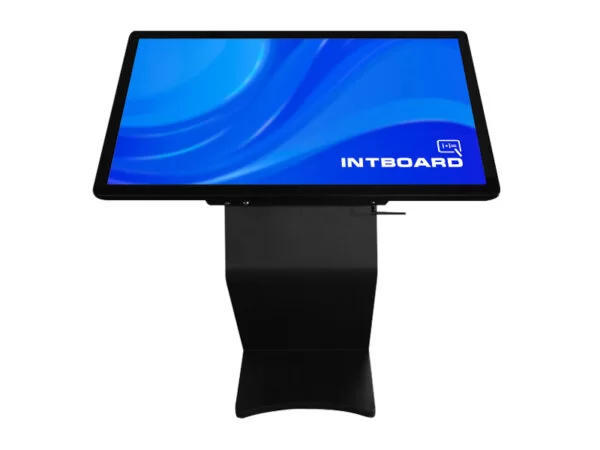
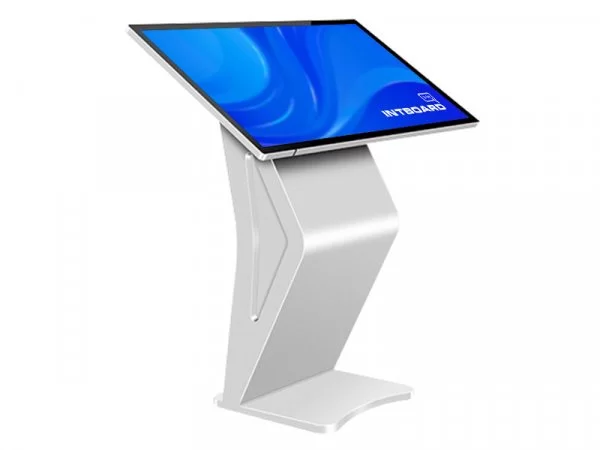
In today's conditions, digitalization of military infrastructure is the foundation of operational awareness and effective logistics. Interactive kiosk INTBOARD INFOCOM 43" is a multifunctional information terminal designed for intensive use in headquarters, situation centers, training grounds and critical infrastructure facilities. Thanks to powerful hardware based on Intel i5-8400, the kiosk provides instant access to tactical data, interactive maps and coordination systems.
Why INTBOARD INFOCOM 43" Is this a strategic choice?
Unlike conventional information panels, INFOCOM 43 combines the reliability of a rugged rack with the computing power of a full-fledged workstation. Capacitive touch technology (projected capacitive sensor) ensures an instant response, similar to a modern smartphone, which is critical when working with dynamic interfaces and digital maps.
- High throughput: The i5-8400 processor and 16 GB of RAM allow you to work with GIS systems (Kropyva, Delta), databases, and streaming video without delays.
- Professional visualization: The 43-inch screen with a portrait orientation is ideal for displaying building plans, routes, or personnel lists.
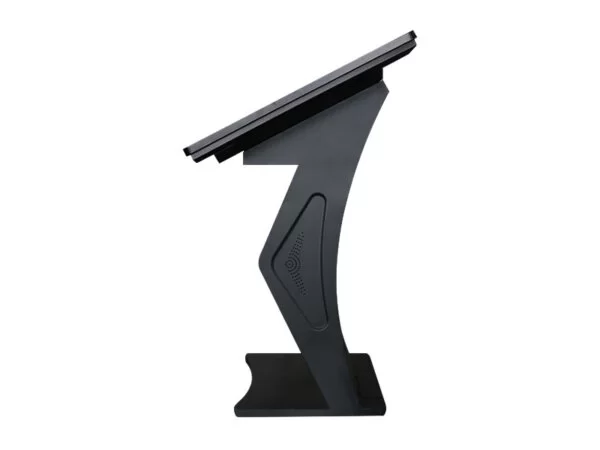
- Stability and safety: The metal case in a strict black color provides protection for internal components and stability when installed in places with a high flow of people.
Technical and tactical characteristics (Technical Specifications) INTBOARD INFOCOM 43"
The complex is based on proven components, which ensures high fault tolerance when operating 24/7.
| Feature | Tactical Value |
|---|---|
| Screen Diagonal | 43" (maximum overview and ease of interaction) |
| Sensor Type | Capacitive Touch (multi-touch, high precision) |
| Processor (CPU) | Intel Core i5-8400 (6 cores, high performance) |
| RAM (RAM) | 16 GB (stable multitasking) |
| Storage (SSD) | 256 GB (instant loading of OS and special software) |
| Graphics | Intel UHD Graphics 630 (works with 2D/3D cards) |
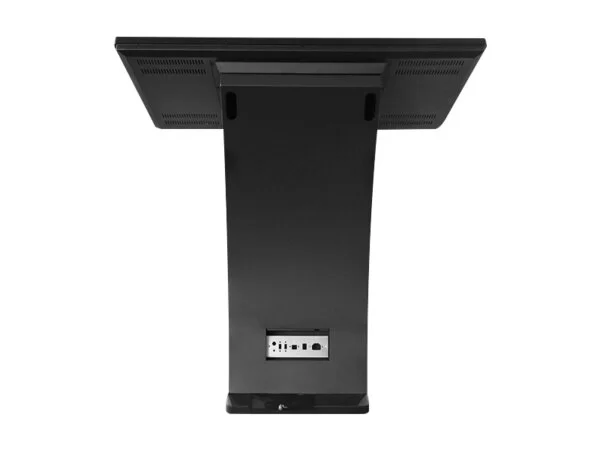
| Connectors | HDMI x2, USB 2.0/3.0, RJ45 (Gigabit LAN) |
| OS compatibility | Windows / Linux / Android software (support for closed OS) |
| Case color | Black (tactical black, matte) |
Applications in military structure and security
The versatility of INTBOARD INFOCOM 43 allows it to be used as an autonomous information unit or part of a common control network:
- Checkpoints (CP): Automation of visitor registration, pass verification and display of facility regulations.
- Training centers: Interactive manuals on the performance characteristics of equipment, weapon disassembly diagrams, virtual simulators.
- Logistics hubs: Monitoring of cargo movement, digital loading queue, navigation around the territory of warehouse complexes.
- Situation rooms: Display of operational information in real time for duty shifts.
Advice from a communications specialist: Thanks to the Gigabit LAN port, the INFOCOM 43 kiosk can be integrated into secure local area networks, providing high-speed data exchange without the risk of using vulnerable wireless protocols.
Conclusion:Proven reliability
INTBOARD INFOCOM 43" black i5-8400 is an investment in efficiency and modern management. Powerful Intel hardware and a sensitive touchscreen make this kiosk a reliable tool for solving complex information tasks at the most critical points in your organization.
Frequently asked questions about the INTBOARD INFOCOM 43" interactive kiosk
Why is a capacitive touchscreen better than an infrared one?
A capacitive touchscreen allows you to make the display surface absolutely flat, without a "step" in the frame. It is more accurate, durable, and does not trigger false alarms from backlighting or random objects, responding only to the touch of a finger.
Can I install Android on this kiosk instead of Windows?
The kiosk is powered by a powerful Intel i5-8400 processor optimized for Windows. Although installing Android x86 is possible, for professional tasks it is better to use Windows 10/11, which fully utilizes the 16 GB of RAM.
Is it suitable for 24/7 operation in public places?
Yes, the kiosk components are designed for continuous load. The vandal-resistant metal case and tempered glass ensure the device's safety in high-traffic areas.
How do I connect the kiosk to the internet?
The device has a LAN port for cable internet and built-in Wi-Fi. Setting up the connection is as easy as on a regular PC.
Can I use it as a photographer's portfolio?
This is one of the best applications. High performance allows for smooth scrolling through high-resolution galleries, and the capacitive screen allows you to pinch-to-zoom photos, just like on a tablet.
Does the kiosk have built-in sound?
Yes, the kiosk is equipped with built-in speakers, allowing it to be used for video presentations with audio accompaniment or as an interactive terminal with voice-over.
Frequently Asked Questions about the INTBOARD INFOCOM 43" interactive kiosk
Why is a capacitive touchscreen better than an infrared one?
A capacitive touchscreen allows you to make the display surface completely flat, without a "step" in the frame. It is more accurate, durable, and does not trigger false alarms from backlighting or random objects, responding only to the touch of a finger.
Can I install Android on this kiosk instead of Windows?
The kiosk is powered by a powerful Intel i5-8400 processor optimized for Windows. Although installing Android x86 is possible, for professional tasks it is better to use Windows 10/11, which fully utilizes the 16 GB of RAM.
Is it suitable for 24/7 operation in public places?
Yes, the kiosk components are designed for continuous load. The vandal-resistant metal case and tempered glass ensure the device's safety in high-traffic areas.
How do I connect the kiosk to the internet?
The device has a LAN port for cable internet and built-in Wi-Fi. Setting up the connection is as easy as on a regular PC.
Can I use it as a photographer's portfolio?
This is one of the best applications. High performance allows for smooth scrolling through high-resolution galleries, and the capacitive screen allows you to pinch-to-zoom photos, just like on a tablet.
Does the kiosk have built-in sound?
Yes, the kiosk is equipped with built-in speakers, allowing it to be used for video presentations with audio accompaniment or as an interactive terminal with voice-over.
Frequently Asked Questions about the INTBOARD INFOCOM 43" interactive kiosk
Why is a capacitive touchscreen better than an infrared one?
A capacitive touchscreen allows you to make the display surface completely flat, without a "step" in the frame. It is more accurate, durable, and does not trigger false alarms from backlighting or random objects, responding only to the touch of a finger.
Can I install Android on this kiosk instead of Windows?
The kiosk is powered by a powerful Intel i5-8400 processor optimized for Windows. Although installing Android x86 is possible, for professional tasks it is better to use Windows 10/11, which fully utilizes the 16 GB of RAM.
Is it suitable for 24/7 operation in public places?
Yes, the kiosk components are designed for continuous load. The vandal-resistant metal case and tempered glass ensure the device's safety in high-traffic areas.
How do I connect the kiosk to the internet?
The device has a LAN port for cable internet and built-in Wi-Fi. Setting up the connection is as easy as on a regular PC.
Can I use it as a photographer's portfolio?
This is one of the best applications. High performance allows for smooth scrolling through high-resolution galleries, and the capacitive screen allows you to pinch-to-zoom photos, just like on a tablet.
Does the kiosk have built-in sound?
Yes, the kiosk is equipped with built-in speakers, allowing it to be used for video presentations with audio accompaniment or as an interactive terminal with voice-over.
Can I install Android on this kiosk instead of Windows?
The kiosk is powered by a powerful Intel i5-8400 processor optimized for Windows. Although Android x86 can be installed, Windows 10/11 is better for professional tasks, as it fully utilizes the 16 GB of RAM.
Is it suitable for 24/7 operation in public places?
Yes, the kiosk components are designed for continuous load. The vandal-resistant metal case and tempered glass ensure the device's safety in high-traffic areas.
How do I connect the kiosk to the internet?
The device has a LAN port for cable internet and built-in Wi-Fi. Setting up the connection is as easy as on a regular PC.
Can I use it as a photographer's portfolio?
This is one of the best applications. High performance allows for smooth scrolling through high-resolution galleries, and the capacitive screen allows you to pinch-to-zoom photos, just like on a tablet.
Does the kiosk have built-in sound?
Yes, the kiosk is equipped with built-in speakers, allowing it to be used for video presentations with audio accompaniment or as an interactive terminal with voice-over.
Can I install Android on this kiosk instead of Windows?
The kiosk is powered by a powerful Intel i5-8400 processor optimized for Windows. Although Android x86 can be installed, Windows 10/11 is better for professional tasks, as it fully utilizes the 16 GB of RAM.
Is it suitable for 24/7 operation in public places?
Yes, the kiosk components are designed for continuous load. The vandal-resistant metal case and tempered glass ensure the device's safety in high-traffic areas.
How do I connect the kiosk to the internet?
The device has a LAN port for cable internet and built-in Wi-Fi. Setting up the connection is as easy as on a regular PC.
Can I use it as a photographer's portfolio?
This is one of the best applications. High performance allows for smooth scrolling through high-resolution galleries, and the capacitive screen allows you to pinch-to-zoom photos, just like on a tablet.
Does the kiosk have built-in sound?
Yes, the kiosk is equipped with built-in speakers, allowing it to be used for video presentations with audio accompaniment or as an interactive terminal with voice-over.
Does the kiosk have built-in sound?
Yes, the kiosk is equipped with built-in speakers, allowing it to be used for video presentations with audio accompaniment or as an interactive terminal with voice-over.
Does the kiosk have built-in sound?
Yes, the kiosk is equipped with built-in speakers, allowing it to be used for video presentations with audio accompaniment or as an interactive terminal with voice-over.