


|
Quantity
|
Out of stock
|
||
|
|
|||
|
|
|||
INTBOARD INFOCOM 32" Interactive Kiosk: Digital Mobility and Operational Command
In today's military command and control systems, speed of access to information is critical. The INTBOARD INFOCOM 32" Interactive Kiosk is a compact yet powerful terminal designed to automate processes in headquarters, mobile command posts, and checkpoints. With an Intel i5-8400 processor and a capacitive touchscreen, this device delivers instant data processing when it matters most. Technological superiority: i5 speed and Capacitive Touch precision The INFOCOM 32 model stands out from the crowd with its combination of high performance and compact dimensions. Capacitive touch technology (projected capacitive sensor) ensures impeccable precision of clicks, which is essential when working with detailed topographic maps and specific military software.
- Performance core: The 6-core Intel i5-8400 processor allows for seamless work with GIS systems (Kropiva, Delta), streaming video, and complex databases.
- Instant response: 16 GB of RAM ensures stable operation in multitasking mode, which is necessary during operational meetings.
- Tactical visualization: The 32-inch screen is optimal for individual work of an officer or use as an information board at a checkpoint.
Technical and tactical characteristics (TTX) INTBOARD INFOCOM 32"
The system is based on industrial components designed for long-term operation in high-intensity mode 24/7.
| Parameter | Characteristic value |
|---|---|
| Display diagonal | 32" (optimal for limited space) |
| Sensor type | Capacitive touch (capacitive,multitouch) |
| Processor (CPU) | Intel Core i5-8400 (6 cores) |
| Random Access Memory (RAM) | 16 GB (maximum performance) |
| Storage (SSD) | 256 GB (fast OS and software startup) |
| Dimensions | 820 × 480 × 90 mm (compact case) |
| Communications | HDMI, USB 2.0/3.0, RJ45 (LAN), audio output |
| Weight | ≈15 kg (possibility of mobile deployment) |
Areas of application in the military sector
Thanks to its versatility and high reliability, INTBOARD INFOCOM 32 effectively solves problems at various levels of command:
- Mobile headquarters: Compact dimensions allow the kiosk to be integrated into mobile command posts based on automotive equipment.
- Situational Centers: Working with tactical maps and monitoring the situation in real time.
- Checkpoints (CP): Digital registration of personnel, checking passes and displaying facility regulations.
- Educational institutions: Using interactive simulators, weapons diagrams and multimedia aids.
Advice from a communications specialist: The presence of a gigabit LAN port (RJ45) allows you to integrate the kiosk into secure local networks with a high level of encryption, which eliminates the vulnerabilities inherent in wireless solutions.
Conclusion: A reliable tool for the digital age
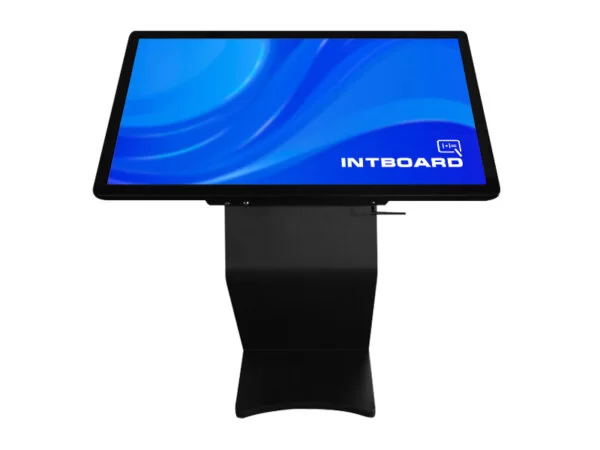
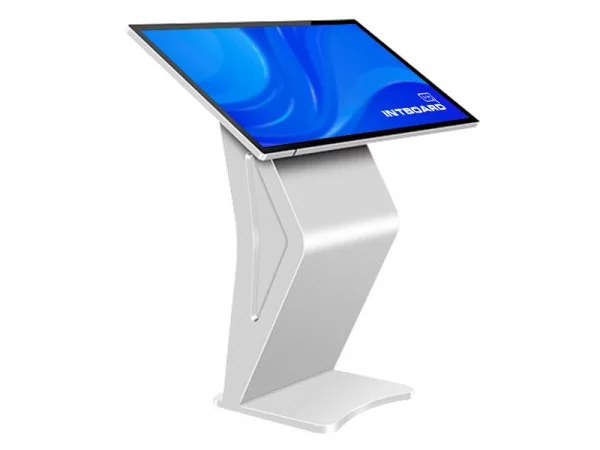
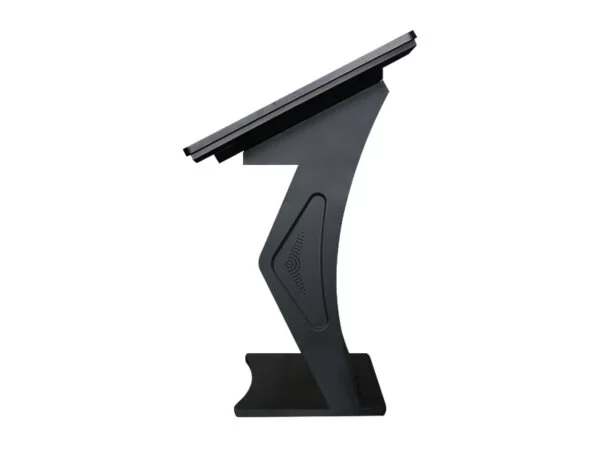
INTBOARD INFOCOM 32" black i5-8400 is a balanced solution for those who value power in a compact design. The sleek black design, matte finish, and metal body make it ideal for use in military environments where equipment reliability is unquestionable.
Frequently Asked Questions about the INTBOARD INFOCOM 32" Interactive Kiosk
Can I use gestures on this kiosk, like on a tablet?
Yes, capacitive technology supports multi-touch (up to 10 points).You can freely zoom photos, rotate 3D models, and flip through document pages using the gestures you're used to on a smartphone or tablet.
How durable is the screen glass?
The screen is protected by thick tempered glass that is resistant to scratches and impacts. It is designed for constant use in public places, so minor mechanical impacts and fingerprints will not affect the functionality of the matrix.
Can I install macOS on it?
Officially, the kiosk runs on Windows or Linux. Since the hardware Standard for PCs, theoretically you can configure a Hackintosh, but for stable operation of touch input and all drivers, it is better to use Windows 10/11.
How do I connect external devices?
The kiosk is equipped with standard USB ports. You can connect any peripherals (cameras, printers, scanners) as to a regular computer, and the system will immediately recognize the device.
Does it get very hot when running 24/7?
No, the cooling system inside INFOCOM is designed specifically for intensive use. The metal casing effectively dissipates heat from the Intel Core i5 processor.
Can this kiosk be used for medical purposes?
Yes, this is an ideal format for viewing X-rays, atlases, and DICOM files. High image clarity and a powerful processor allow the doctor and patient to study the graphics in detail without delay.
How do I connect external devices?
The kiosk is equipped with standard USB ports. You can connect any peripherals (cameras, printers, scanners) as you would to a regular computer, and the system will immediately recognize the device.
Does it get very hot when running 24/7?
No, the cooling system inside INFOCOM is designed specifically for intensive use. The metal casing effectively dissipates heat from the Intel Core i5 processor.
Can this kiosk be used for medical purposes?
Yes, this is an ideal format for viewing X-rays, atlases, and DICOM files. High image clarity and a powerful processor allow the doctor and patient to study graphics in detail without delays.
How do I connect external devices?
The kiosk is equipped with standard USB ports. You can connect any peripherals (cameras, printers, scanners) as you would to a regular computer, and the system will immediately recognize the device.
Does it get very hot when running 24/7?
No, the cooling system inside INFOCOM is designed specifically for intensive use. The metal casing effectively dissipates heat from the Intel Core i5 processor.
Can this kiosk be used for medical purposes?
Yes, this is an ideal format for viewing X-rays, atlases, and DICOM files. High image clarity and a powerful processor allow the doctor and patient to study graphics in detail without delays.