


|
Quantity
|
Out of stock
|
||
|
|
|||
|
|
|||
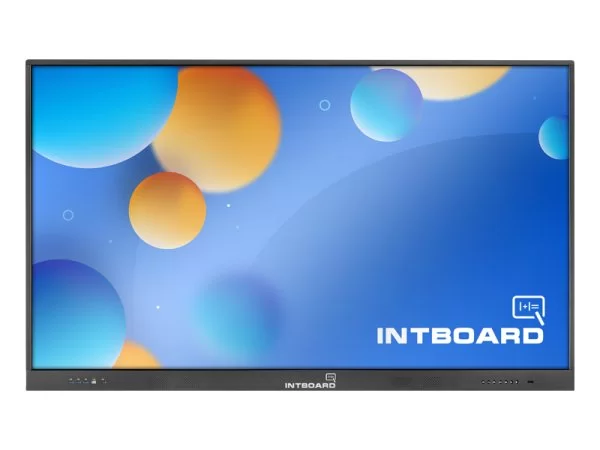
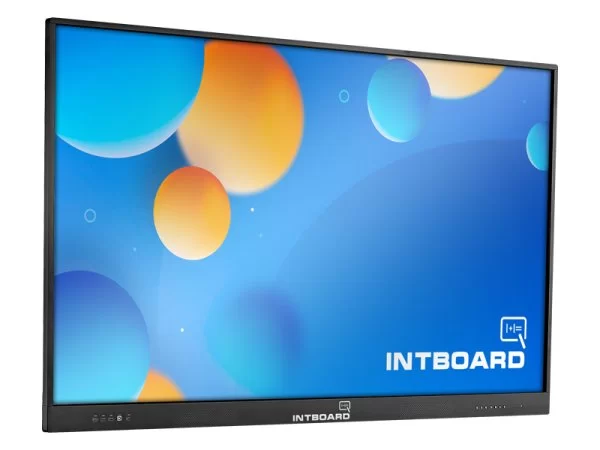
INTBOARD GT75 Interactive Panel Android 13.0: The Digital Core of a Modern Command Post
In today's realities, the speed of decision-making and the quality of visualization of intelligence data determine the course of any operation. INTBOARD GT75 Interactive Panel is a high-tech solution for equipping situational centers, headquarters, and command posts. The huge 75-inch diagonal combined with 4K resolution and the modern Android 13.0 OS provides unprecedented clarity when working with tactical maps, UAV streams, and troop control systems.
Visualization of the tactical situation in 4K UHD format
The 75-inch diagonal (almost 2 meters) becomes an ideal tool for group work of officers and analysts. The IPS matrix ensures wide viewing angles, which allows all personnel to clearly see the content without color distortion, even from side positions.
- Ultra-high detail: The 3840x2160 resolution allows you to distinguish the smallest objects on satellite images and multi-layer topographic maps.
- Anti-glare coating: Effectively absorbs light interference, which is critical when working in shelters with bright artificial lighting or in field tents.
- Multi-touch (20 points): Allows a group of specialists to simultaneously interact with the panel — Apply operational notes, scale areas of responsibility and adjust routes in real time.
Professional capabilities and performance characteristics of the complex
INTBOARD GT75 is based on the current version of Android 13.0, which guarantees high-speed interface operation and support for modern cybersecurity protocols. The system is fully prepared for integration with military ecosystems and specialized software (Delta, Kropiva and similar ones).
| Technical specifications (TTX) INTBOARD GT75 | |
|---|---|
| Diagonal | 75 inches (optimal for situation rooms) |
| Matrix | IPS / Touch multi-touch (up to 20 touch points) |
| Resolution | 4K UHD (3840x2160) |
| Operating system | Android 13.0 (high performance and data protection) |
| Interfaces | HDMI (2+ ports), USB 2.0/3.0, RJ45 (LAN), audio output |
| Network | Gigabit Ethernet, Wi-Fi, Bluetooth |
| Additional features | Video conferencing, tactical presentations, interactive planning |
| Power | AC 100-240V, 50/60Hz (resistance to voltage fluctuations) |
Efficiency and reliability in critical conditions
The panel is designed for operation under high load 24/7. Thanks to The absence of fragile mechanical components (optical drive) and the use of solid-state architecture make the device highly resistant to vibration and external influences.
- Instant Start: Android 13.0 provides quick launch of video conferencing and data visualization applications, which is critical during emergency reporting.
- Secure Connection: The RJ45 port allows you to connect the panel to closed local networks for transmitting confidential information.
- Universal Switching: A large number of USB ports allow you to connect secure drives, manipulators, or external cameras for video conferencing.
Expert Opinion: The GT75 model is the optimal balance between mobility and useful workspace. Using Android 13.0 provides access to modern encryption tools and fast processing of streaming video from UAVs without delays.
Conclusion: The Digital Advantage of Your Department
INTBOARD GT75 is a reliable tool,which transforms a standard room into a modern command center. High resolution, a fast sensor, and a stable OS allow you to focus on what matters most—analyzing the situation and making the right strategic decisions.
Frequently Asked Questions about the Intboard GT75 Interactive Panel (Android 13.0)
Can I install Windows on this panel later?
Yes. The panel is equipped with an OPS slot. You can purchase a computer module separately and insert it into the slot, getting a full-fledged Windows 11 along with Android 13.
Does the panel support operation with tactical gloves?
Yes. Thanks to the infrared sensor technology, the panel reacts to the interruption of the beams by any object: a gloved finger, a stylus, a pencil, or a pointer.
How to broadcast the screen of a phone or laptop wirelessly?
You can use the built-in AirPlay (for Apple) and Miracast protocols, or the proprietary EShare application for instant image output to a large screen.
Can I open medical images (DICOM) or 3D projects?
Android 13 is powerful enough for most mobile viewers. However, for heavy 3D models and professional medical software, it is recommended to use the OPS module based on Intel i5/i7.
How safe is it to leave the panel in a public place?
You can set a password to unlock or restrict access to the settings. The matrix is reliably protected from physical damage by tempered glass $4\text{ mm}$.
Can the panel be used for video calls?
Yes. You can install Zoom, Teams, or Skype directly on Android. Simply connect an external webcam via the front USB port.
You can purchase a separate computer module and insert it into the slot, getting a full Windows 11 along with Android 13.
Does the panel support operation with tactical gloves?
Yes. Thanks to the infrared sensor technology, the panel reacts to the interruption of the beams by any object: a gloved finger, a stylus, a pencil, or a pointer.
How to broadcast the screen of a phone or laptop wirelessly?
You can use the built-in AirPlay (for Apple) and Miracast protocols, or the proprietary EShare application for instant image output to a large screen.
Can I open medical images (DICOM) or 3D projects?
Android 13 is powerful enough for most mobile viewers. However, for heavy 3D models and professional medical software, it is recommended to use the OPS module based on Intel i5/i7.
How safe is it to leave the panel in a public place?
You can set a password to unlock or restrict access to the settings. The matrix is reliably protected from physical damage by tempered glass $4\text{ mm}$.
Can the panel be used for video calls?
Yes. You can install Zoom, Teams, or Skype directly on Android. Simply connect an external webcam via the front USB port.
You can purchase a separate computer module and insert it into the slot, getting a full Windows 11 along with Android 13.
Does the panel support operation with tactical gloves?
Yes. Thanks to the infrared sensor technology, the panel reacts to the interruption of the beams by any object: a gloved finger, a stylus, a pencil, or a pointer.
How to broadcast the screen of a phone or laptop wirelessly?
You can use the built-in AirPlay (for Apple) and Miracast protocols, or the proprietary EShare application for instant image output to a large screen.
Can I open medical images (DICOM) or 3D projects?
Android 13 is powerful enough for most mobile viewers. However, for heavy 3D models and professional medical software, it is recommended to use the OPS module based on Intel i5/i7.
How safe is it to leave the panel in a public place?
You can set a password to unlock or restrict access to the settings. The matrix is reliably protected from physical damage by tempered glass $4\text{ mm}$.
Can the panel be used for video calls?
Yes. You can install Zoom, Teams, or Skype directly on Android. Simply connect an external webcam via the front USB port.
However, for heavy 3D models and professional medical software, it is recommended to use the OPS module based on Intel i5/i7.
How safe is it to leave the panel in a public place?
You can set a password to unlock or restrict access to the settings. The matrix is reliably protected from physical damage by tempered glass $4\text{ mm}$.
Can the panel be used for video calls?
Yes. You can install Zoom, Teams, or Skype directly on Android. Simply connect an external webcam via the front USB port.
However, for heavy 3D models and professional medical software, it is recommended to use the OPS module based on Intel i5/i7.
How safe is it to leave the panel in a public place?
You can set a password to unlock or restrict access to the settings. The matrix is reliably protected from physical damage by tempered glass $4\text{ mm}$.
Can the panel be used for video calls?
Yes. You can install Zoom, Teams, or Skype directly on Android. Simply connect an external webcam via the front USB port.